Sales & customer accounts
Follow estimates, sales orders, invoices and collections through a connected workflow. Manage customer payments, credits and statements with access to the related records.
Connect sales, purchasing, inventory, banking and reporting with Phemex One. Bring the work of your team into a consistent business system, with an implementation shaped around your operations.
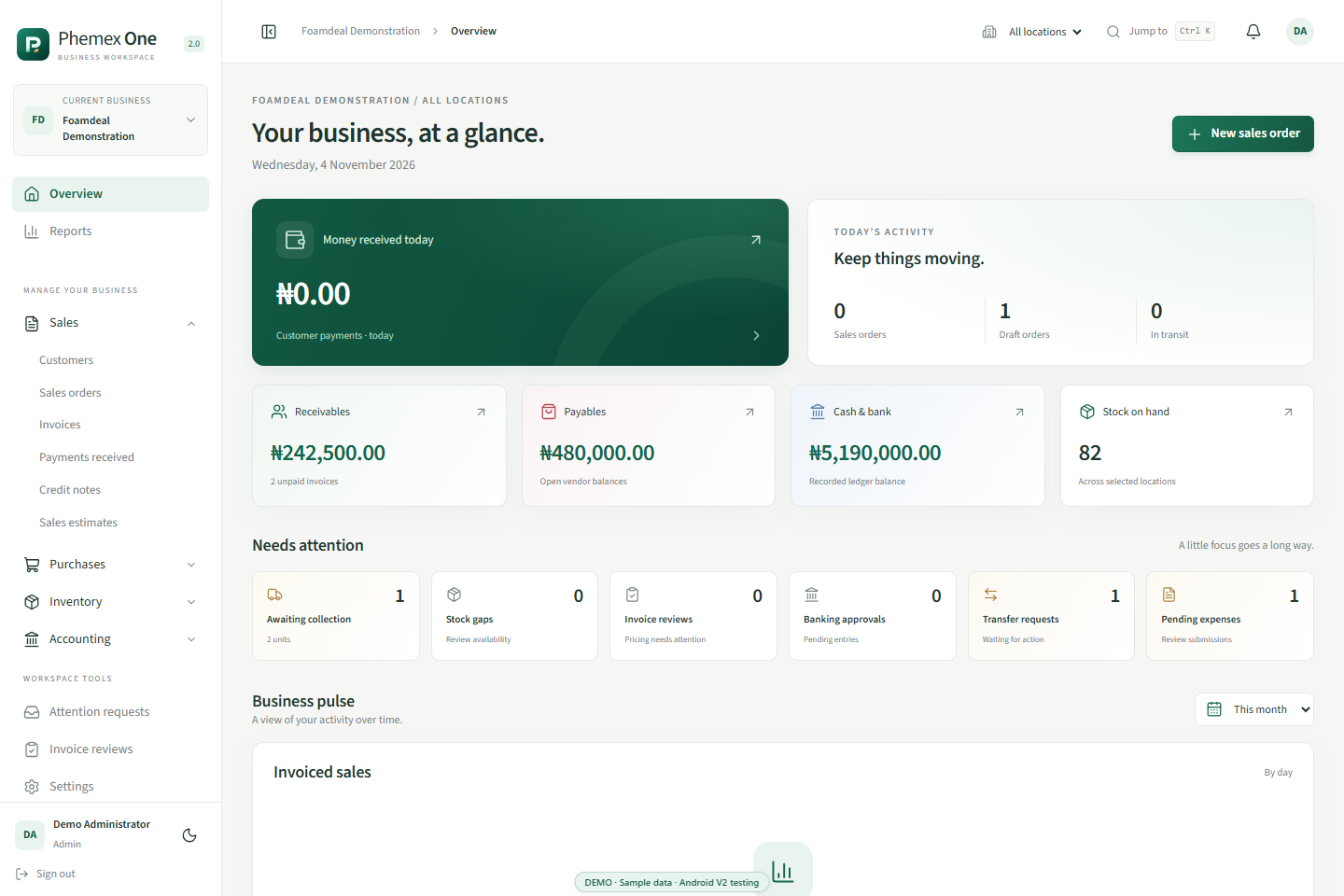 A view of the product using sample demonstration data.
Follow the work from its first document through stock, payments and reporting.
Follow estimates, sales orders, invoices and collections through a connected workflow. Manage customer payments, credits and statements with access to the related records.
Manage purchase orders, bills, goods receipts and supplier payments. Keep physical receipt and payment progress visible as separate parts of the purchasing process.
Review stock by permitted location, manage transfers and adjustments, and trace item activity. Stock health and purchase-planning tools help teams review what needs attention.
Review cash and bank activity, reconcile imported CSV statements and work with accounting records. Approval, period and document controls remain part of the workflow.
Explore sales, purchases, stock, customer balances and financial reports. Use filters, comparisons and source records to understand the activity behind the numbers.
Scope access by business, location and role. Give staff appropriate workflows while preserving approval steps, document relationships and recorded activity.
Give customers a dedicated portal for their own account information, transactions and statements. Customer access stays separate from staff permissions.
Use the web workspace for desktop operations and the native Android application for supported mobile workflows. Both connect to the same business services and access rules.
Access, approvals and linked records help teams work within their responsibilities.
We start with your operations and agree the setup, training and support your team needs.
Discuss your team, locations, existing tools and the work you want to improve. Agree the priorities for a useful first rollout.
Walk through relevant workflows in a guided demonstration. Identify the configuration, integrations or additional development your business may need.
Define access, business records and a data transition plan. Review available source information and agree validation steps before moving to operational use.
Introduce staff to their day-to-day tasks and review the agreed workflows together. Build readiness around the way each role will use the system.
Agree a rollout, handover and support arrangement. Review feedback and plan further improvements as your operation evolves.
It is worth exploring if your team manages sales, purchasing, stock and customer accounts, particularly across locations. We start with your workflows and a guided demonstration to assess the fit before proposing an implementation.
Phemex One supports business and location scoping, with access controlled by role and assignment. Where related businesses trade with each other, configured links can support reviewed counterpart workflows while keeping their records separate. We will assess your structure during discovery.
We can review the records and exports available from your current tools and agree a transition plan. Data quality, opening balances, stock records and historical documents need to be assessed; migration scope and validation are defined for each implementation.
Phemex One includes a native Android application alongside the web workspace. Android deployment, supported workflows and device requirements are reviewed as part of your rollout. An iOS ERP application is not currently part of this offering.
The current reconciliation workflow supports importing bank statements as CSV files and reviewing matches against recorded activity. It does not include a direct bank feed or automatic bank matching. Any additional integration would need a separate assessment.
Request a guided demonstration and tell us about your users, locations and priorities. We will scope a tailored proposal covering the agreed implementation, any additional development, training and support. The offering is not a self-service subscription signup.
Tell us about your business, locations, current system and priority workflows. We’ll arrange a guided demonstration.